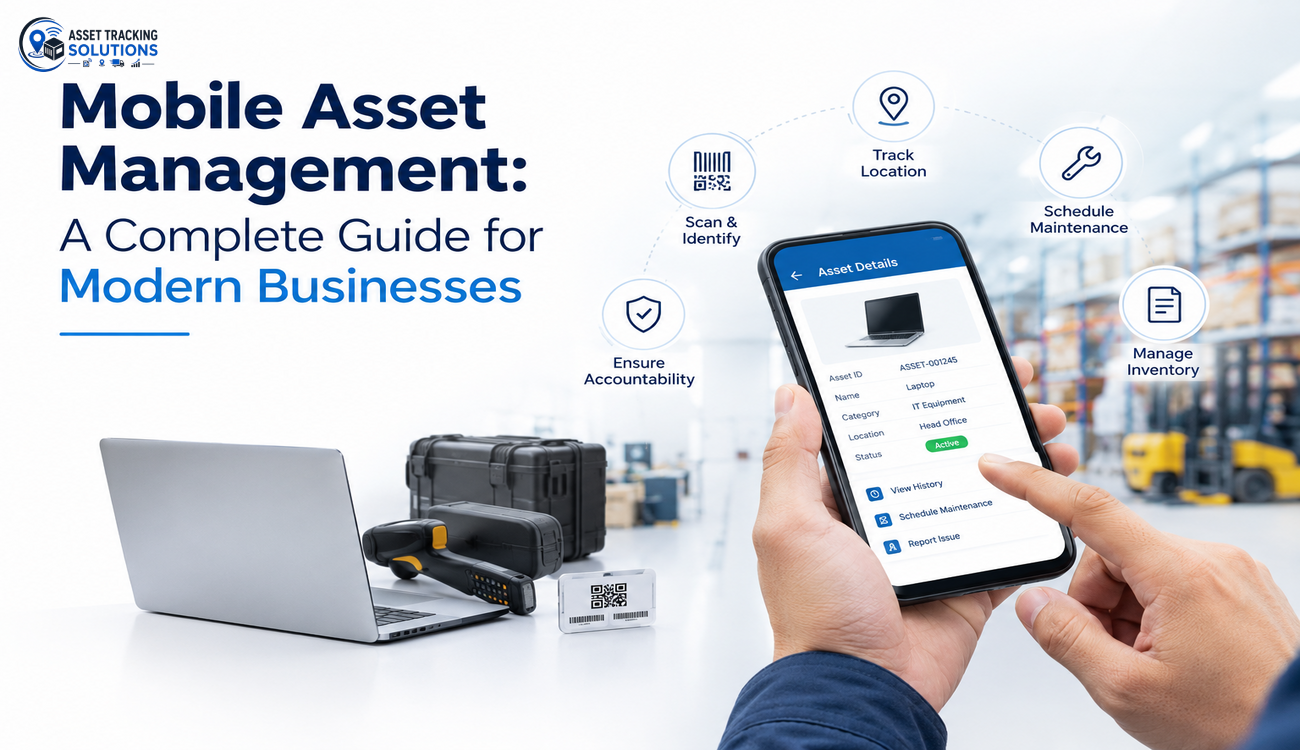
Modern businesses rely on physical and digital assets to maintain productivity, control operational costs, and deliver better services. From laptops and mobile devices to industrial equipment, vehicles, and warehouse tools, every asset needs proper tracking and maintenance. However, managing these resources through spreadsheets and manual records becomes difficult as organizations grow. This is where Mobile Asset Management for Business helps companies improve visibility, simplify daily operations, and make informed decisions about their resources.
With mobile technology, employees can access asset information, update records, and monitor equipment from almost anywhere. Businesses no longer need to depend entirely on office-based systems or paper documentation to understand where their assets are located and how they are being used. By adopting a mobile-first approach, organizations can create a more connected, accurate, and efficient asset management process.
What is Mobile Asset Management?
Mobile asset management is the process of tracking, monitoring, maintaining, and managing business assets through smartphones, tablets, and other mobile-enabled devices. It allows authorized employees to view asset records, scan identification tags, update equipment details, and report maintenance requirements while working in the field, office, factory, or warehouse.
A mobile asset management system typically connects a mobile application with centralized asset management software. This connection helps businesses maintain updated records of asset locations, ownership, condition, usage history, and maintenance schedules.
For example, a manufacturing company can use a mobile application to check the availability of production equipment, while an IT department can use the same approach to track laptops, printers, and other devices assigned to employees.
Mobile Asset Management for Business is especially useful for organizations with multiple locations, distributed teams, field operations, and large inventories of equipment. It brings asset-related information closer to the people who need it, reducing delays and improving accountability.
Why Mobile Asset Management Matters for Modern Businesses
Traditional asset management methods often involve spreadsheets, manual inspections, and separate departmental records. These methods can create information gaps, duplicate entries, and delays in reporting. As a result, businesses may struggle to identify unused equipment, locate missing assets, or plan maintenance at the right time.
Mobile technology addresses these challenges by making asset information accessible when and where it is needed. Employees can scan a barcode, update an asset’s status, or record a maintenance issue without returning to a central office.
Another important advantage is improved operational transparency. Managers can review asset information more quickly and understand how resources are distributed across departments or locations.
By implementing Mobile Asset Management for Business, organizations can reduce unnecessary administrative work, strengthen asset accountability, and establish more consistent procedures for handling equipment throughout its lifecycle.
Key Features of a Mobile Asset Management System
Real-Time Asset Tracking
Asset tracking helps businesses understand where their equipment is located and who is responsible for it. Mobile systems can use barcode scanning, QR codes, RFID technology, GPS, or connected IoT devices, depending on the type of asset and tracking requirements.
For instance, a field service company can use GPS-enabled tracking for vehicles and mobile equipment, while an office can scan QR codes to verify laptops and other IT assets. The appropriate technology depends on whether the business needs location tracking, identification, movement history, or inventory verification.
Mobile Inventory Audits
Regular asset audits help organizations verify whether recorded assets are physically available and correctly assigned. Mobile applications simplify this process by allowing employees to scan asset tags and compare the results with existing records.
Mobile Asset Management for Business reduces the time required for manual stocktaking and helps identify missing, misplaced, or incorrectly recorded equipment. Businesses can also maintain digital audit histories for internal reviews and compliance requirements.
Maintenance Scheduling and Alerts
Equipment requires regular inspections and servicing to remain reliable. A mobile asset management platform can maintain maintenance schedules, send reminders, and allow technicians to record completed repairs.
Employees can also report equipment problems directly through their mobile devices. This helps maintenance teams respond faster, prioritize critical issues, and reduce the risk of unexpected breakdowns.
Asset Assignment and Check-In/Check-Out
Businesses frequently assign laptops, handheld scanners, tools, vehicles, and other equipment to individual employees or departments. A mobile system makes it easier to record these assignments and document when assets are transferred, returned, or replaced.
Clear assignment records improve accountability and help organizations locate equipment when employees change roles, move between locations, or leave the company.
Centralized Asset Records
A centralized database stores essential asset information, including identification numbers, purchase details, warranty periods, locations, assigned users, maintenance records, and current status.
Authorized employees can access the information they need through a mobile interface, while administrators maintain control over permissions and data quality. This creates a consistent source of information across departments.
How Mobile Asset Management Works
A mobile asset management system generally begins with asset registration. Each asset receives a unique identifier, such as a barcode, QR code, or RFID tag, which connects the physical item to its digital record.
Once assets are registered, employees use a mobile application to scan identifiers, view details, update assignments, and record inspections or maintenance activities. Depending on the system, location information may be captured manually or collected through GPS, RFID infrastructure, or connected sensors.
The application synchronizes information with a central platform so that authorized teams can review current records and generate reports. Some solutions also support offline data capture, allowing employees to continue working in areas with limited connectivity and synchronize their updates later.
For organizations adopting Mobile Asset Management for Business, the exact workflow depends on the assets being managed, the operating environment, and the level of automation required. A simple barcode-based application may be sufficient for office equipment, while large industrial operations may need integrations with RFID, IoT sensors, enterprise resource planning systems, and maintenance platforms.
Benefits of Mobile Asset Management for Business
Improved Productivity and Operational Efficiency
Employees spend less time searching for equipment, entering repetitive information, and coordinating asset transfers manually. Mobile access makes routine activities faster and helps teams focus on their primary responsibilities.
Automated notifications and standardized workflows also reduce communication delays between asset users, administrators, and maintenance teams.
Better Asset Visibility and Accountability
Businesses gain a clearer understanding of asset locations, ownership, condition, and utilization. When equipment is assigned to specific employees or departments, responsibility becomes easier to establish.
This visibility is particularly valuable for organizations operating across multiple offices, warehouses, hospitals, construction sites, or manufacturing facilities.
Reduced Operational Costs
Poor asset visibility can lead to unnecessary purchases, duplicate equipment, preventable repairs, and avoidable losses. Mobile asset management helps organizations identify underused resources and make better decisions about purchasing, maintenance, and redistribution.
Over time, improved planning can reduce avoidable expenses and increase the value businesses receive from their existing assets.
More Reliable Data and Reporting
Digital records reduce dependence on handwritten notes and disconnected spreadsheets. Standardized data collection helps improve record accuracy and supports more reliable reporting.
With Mobile Asset Management for Business, managers can evaluate asset utilization, maintenance spending, replacement requirements, and overall operational performance.
Stronger Compliance and Audit Readiness
Many industries require businesses to maintain asset records for financial reporting, safety inspections, quality management, or regulatory reviews. Mobile applications make it easier to record inspections, maintain maintenance histories, and retrieve relevant documentation.
Although the software can improve recordkeeping, businesses must still configure their processes to meet the specific regulatory requirements that apply to their industry.
Industries That Benefit from Mobile Asset Management
Mobile asset management can support organizations across a wide range of industries.
In manufacturing, it helps track production machinery, maintenance tools, and equipment distributed across factory floors. Warehouse operators can use mobile scanning to verify inventory, locate handling equipment, and improve asset movement records.
Healthcare organizations can manage medical devices, diagnostic equipment, and shared hospital resources. Accurate records help staff locate equipment when needed and monitor maintenance requirements without relying solely on manual registers.
Construction companies can track tools, machinery, safety equipment, and assets distributed across multiple project sites. Field service businesses can monitor vehicles, diagnostic tools, and equipment assigned to technicians working at different customer locations.
IT departments can use mobile asset management to maintain records of laptops, servers, networking devices, and employee-issued hardware. Retail businesses can also manage point-of-sale devices, handheld scanners, and equipment distributed across stores.
Across these sectors, Mobile Asset Management for Business supports better coordination between employees and managers while helping organizations maintain more accurate asset records.
How to Implement Mobile Asset Management Successfully
Identify Your Asset Management Requirements
Before selecting a solution, determine which assets need to be tracked and what problems the current process creates. Some businesses may need better inventory visibility, while others may prioritize preventive maintenance, asset utilization, or employee accountability.
Understanding these requirements helps organizations choose a solution that addresses real operational challenges instead of introducing unnecessary complexity.
Choose the Right Tracking Technology
Different assets require different identification methods. Barcode and QR code systems are often suitable for affordable, straightforward identification. RFID can support faster bulk identification in appropriately configured environments, while GPS is useful for tracking vehicles and mobile assets over larger areas.
IoT sensors may be appropriate when businesses need additional information, such as temperature, operating status, or equipment usage. The final selection should reflect the required tracking accuracy, operating conditions, implementation budget, and infrastructure.
Integrate the System With Existing Software
Asset management platforms may need to exchange information with ERP, procurement, accounting, HR, inventory, or maintenance systems. Integration reduces duplicate data entry and helps keep asset records consistent across departments.
Organizations should confirm that the chosen platform supports the required integrations and provides appropriate access controls for sensitive business information.
Train Employees and Standardize Workflows
Even a well-designed system can deliver limited results if employees do not use it consistently. Training should explain how to scan assets, update records, report issues, transfer equipment, and follow security procedures.
Businesses adopting Mobile Asset Management for Business should establish clear rules for asset assignment, returns, maintenance reporting, and periodic verification.
Monitor Results and Improve the Process
After implementation, businesses should evaluate whether the system is improving operational performance. Relevant measurements include asset audit accuracy, time spent locating equipment, maintenance response time, asset utilization, and the frequency of missing or incorrectly assigned assets.
Regular reviews help organizations identify workflow gaps and make adjustments as their operational needs change.
Common Challenges and How to Address Them
Implementing mobile asset management may involve challenges such as incomplete historical records, inconsistent employee adoption, poor connectivity, and integration difficulties. These issues are easier to manage when businesses plan the implementation carefully and introduce the system in manageable stages.
Asset records should be cleaned before migration to reduce duplicate entries and outdated information. Employees should receive practical training, while role-based access controls should ensure that users can view or modify only the information relevant to their responsibilities.
Organizations operating in remote locations should evaluate offline functionality and synchronization capabilities. They should also review device security, authentication, data encryption, backup procedures, and application updates to protect business information.
A phased rollout can help businesses test workflows, resolve technical problems, and collect employee feedback before extending the system across the organization.
Future Trends in Mobile Asset Management
Mobile asset management is evolving as businesses adopt artificial intelligence, cloud computing, IoT, and advanced analytics. These technologies are making asset information more accessible and helping organizations move from reactive management toward more proactive operations.
AI-powered analytics can identify unusual usage patterns, highlight underutilized equipment, and support maintenance planning. When sufficient reliable data is available, predictive maintenance models can help estimate the likelihood of equipment failure and guide inspection priorities.
Cloud-based platforms make it easier for distributed teams to access shared records, while IoT sensors can provide continuous information about asset condition and operating environments. Integration with digital twins may also help organizations understand equipment performance through digital representations of physical assets.
Future Mobile Asset Management for Business solutions are likely to focus increasingly on automation, connected workflows, stronger security, and data-driven decision-making. However, the value of these technologies will depend on data quality, implementation costs, and how effectively they address actual business requirements.
Conclusion
Mobile asset management has become an important part of modern business operations because it connects asset information with the employees responsible for using and maintaining equipment. By replacing fragmented records with accessible digital workflows, organizations can improve asset visibility, reduce administrative effort, simplify maintenance, and make better use of their existing resources.
Successful implementation requires more than selecting a mobile application. Businesses must identify their operational needs, choose suitable tracking technologies, integrate relevant systems, train employees, and measure performance consistently.
Organizations exploring Mobile Asset Management for Business should begin by identifying their most significant asset management challenges and selecting a solution that can grow alongside their operations. With the right strategy and technology, businesses can build a more transparent, efficient, and accountable approach to managing assets throughout their lifecycle.
FAQs
Q1. What is mobile asset management for business?
Mobile asset management for business is a digital approach that enables organizations to track, monitor, maintain, and manage assets through smartphones and tablets using mobile applications.
Q2. What are the main benefits of mobile asset management?
The main benefits include improved asset visibility, reduced operational costs, faster inventory audits, simplified maintenance scheduling, better employee accountability, and more accurate asset records.
Q3. Which industries can benefit from mobile asset management?
Industries such as manufacturing, healthcare, construction, logistics, retail, warehousing, and IT services can use mobile asset management to track equipment, monitor asset usage, and improve operational efficiency.
Q4. What technologies are used in mobile asset management systems?
Mobile asset management systems commonly use barcode scanning, QR codes, RFID, GPS tracking, cloud computing, and IoT sensors to identify assets, monitor locations, and maintain accurate records.
Q5. How can businesses implement a mobile asset management system?
Businesses can implement a mobile asset management system by identifying their asset tracking requirements, selecting suitable software and tracking technologies, digitizing asset records, integrating existing systems, training employees, and regularly monitoring performance.