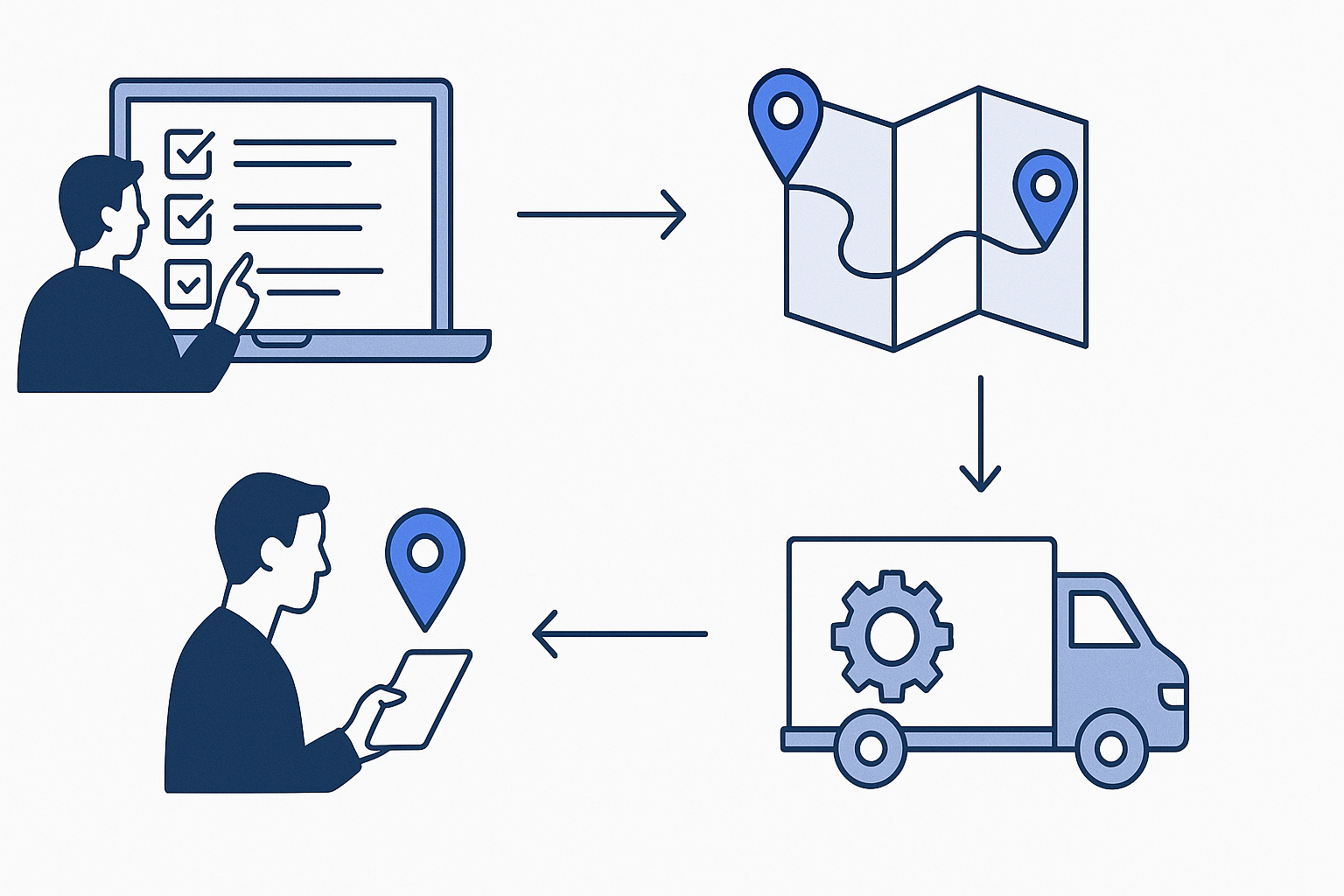
A typical enterprise in India loses ₹8–12 lakh annually to missing laptops, idle servers, and untracked IT equipment—most of it preventable with structured IT asset tracking. Here’s a step-by-step process to implement IT asset tracking that delivers audit-readiness, compliance, and real ROI.
TL;DR
- Define clear asset tracking goals and map all hardware/software assets before rollout.
- Select tracking technology (RFID, barcode, IoT) based on asset type and audit needs.
- Integrate with ERP or ITSM for real-time visibility, compliance, and automated reporting.
- Train stakeholders and implement continuous asset lifecycle management.
Why IT Asset Tracking Fails: Common Pitfalls in Indian Organisations
Over 60% of Indian enterprises still rely on manual spreadsheets to track IT assets—resulting in lost equipment, compliance gaps, and painful audits. According to a NASSCOM report, Indian IT service firms report an average of 8–12% asset underutilisation due to poor visibility. Common pitfalls include:
- Unstructured asset registers and inconsistent data entry
- Lack of integration with ERP or ITSM systems
- No real-time tracking for mobile or remote assets
- Non-compliance with audit and regulatory standards (e.g., ISO/IEC 27001)
- Missed software license renewals, leading to legal risks
For a deeper dive into asset management technologies, see GPS vs BLE vs RFID: Choosing the Right Asset Tracking Technology.
Step 1: Define Your IT Asset Tracking Objectives and Scope
Begin by identifying your top pain points—lost laptops, idle servers, compliance pressures, or manual audits. Set measurable goals, such as reducing asset loss by 20%, automating license renewals, or achieving ISO/IEC 27001 audit readiness. Map all hardware (laptops, desktops, routers, servers), software licenses, and mobile devices to track. For complex environments like data centres or multi-site campuses, clarify if you need RFID, barcode, or IoT sensor coverage.
- List all asset categories: hardware, software, peripherals, mobile devices
- Identify compliance frameworks (e.g., ISO/IEC 27001, GDPR, HIPAA for healthcare)
- Align stakeholders: IT, operations, finance, compliance/audit
For typical use cases and pain points, see our IT Asset Tracking service page.
Step 2: Audit and Catalogue Existing IT Assets
Conduct a detailed audit to capture every asset—location, user, status, warranty, and license details. Use barcode or QR code scanning tools for quick data capture on-site. For high-value assets, consider RFID tagging for automated bulk scans. This step is crucial for establishing your baseline and identifying ghost assets (items listed but missing) or underutilised equipment.
| Asset Type | Data to Capture |
|---|---|
| Laptops/Desktops | Serial number, user, location, OS, warranty |
| Servers/Network | Rack/unit, IP/MAC, install date, maintenance |
| Software Licenses | License key, expiry, user, compliance status |
| Mobile Devices | IMEI, user, location, asset tag |
This audit forms the foundation for accurate tracking and future compliance. For further reading on optimising asset inventory, see Warehouse Asset Tracking Checklist for RFID, Barcode and IoT.
Step 3: Select the Right Tracking Technology and Platform
Choose tracking hardware and software based on asset mobility, audit frequency, and integration needs. RFID tags are ideal for data centres and bulk movement; barcodes and QR codes suit desktops and peripherals. IoT sensors enable real-time monitoring for critical equipment. Select a software platform with features like automated alerts, analytics dashboards, and integration with ERP/ITSM tools such as SAP, Oracle, or ServiceNow.
- RFID asset tracking: Fast, bulk scanning; higher upfront cost, lower manual effort
- Barcode/QR code: Low cost, manual scan, good for static assets
- IoT sensors: Real-time, automated alerts for high-value or mobile assets
Industry estimates suggest RFID-enabled asset tracking can reduce annual inventory time by 60–80% and lower loss rates by 30% (GSMA IoT Asset Tracking Whitepaper).
Step 4: Tagging, Data Migration, and Asset Onboarding
Once technology is selected, physically tag all assets—either with RFID, barcode, or QR code labels. For software licenses, import license keys, expiry dates, and allocation data into the asset management software. Migrate existing asset registers (Excel, legacy tools) into the new system, ensuring data integrity and field mapping. Validate asset records with on-ground inventory before going live.
- Apply and verify physical tags for every asset
- Import historical asset and license data in bulk
- Conduct a reconciliation audit—physical vs digital records
According to the AIS-140 standard, traceability and validation are critical for audit compliance in regulated sectors.
Step 5: Integration with Existing IT and Business Systems
Integrate asset tracking software with your ERP (SAP, Oracle), ITSM (ServiceNow, Freshservice), and HRMS for seamless workflows. Integration allows real-time sync of asset ownership, maintenance tickets, and procurement status. Automated triggers can alert stakeholders to warranty expiry, license renewal, or asset movement. For compliance, ensure the system supports audit logs and role-based access control.
- Automate asset assignment and return processes via HRMS integration
- Enable preventive maintenance scheduling
- Generate compliance and audit-ready reports
For organisations evaluating cloud-based solutions, see Top Benefits of Cloud Asset Management for Businesses.
See your IT assets on one dashboard
Stop losing track of laptops, servers, and licenses. Asset Tracking Solutions delivers real-time visibility, automated compliance, and lifecycle management for every IT asset—hardware and software. Discover how much time and money you can save.
Step 6: User Training, Change Management, and Rollout
Successful IT asset tracking implementation depends on user adoption. Train IT staff, asset custodians, and department heads on new workflows—asset assignment, transfers, returns, and reporting. Appoint asset champions in each department. Communicate the ROI: faster audits, fewer lost devices, and easier compliance. Establish a feedback loop for ongoing process improvement and issue resolution.
- Conduct hands-on training for tagging, scanning, and software use
- Share quick-reference guides and SOPs for all users
- Set up helpdesk or support channels for rollout issues
For strategies on digital transformation, refer to McKinsey’s insights on IT operational excellence.
Step 7: Continuous Monitoring, Maintenance, and Compliance Reporting
Post-implementation, automate asset lifecycle management—track procurement, assignment, maintenance, and disposal. Use analytics dashboards to monitor asset utilisation, flag anomalies, and schedule preventive maintenance. Enable automated software license renewal alerts. For compliance, generate audit logs and reports as per regulatory standards. This ensures you stay ready for ISO/IEC 27001 or statutory audits at any time.
| Process | Frequency | Responsible |
|---|---|---|
| Physical inventory scan | Quarterly/Annually | IT/Admin |
| License compliance check | Monthly | IT/Compliance |
| Maintenance scheduling | As per asset | IT/Facilities |
| Audit report generation | On demand | Compliance/Audit |
For a beginner’s guide to cloud-based asset management, see What Is Cloud Based Asset Management? A Beginner’s Guide.
Cost, ROI, and Payback for IT Asset Tracking Implementation
IT asset tracking solutions in India typically cost ₹100–₹400 per asset per month for cloud software, with RFID/barcode hardware ranging from ₹50–₹400 per asset for tags. Implementation costs depend on asset volume, integration needs, and compliance features. Industry data suggests a payback period of 6–12 months, mainly from reduced losses, faster audits, and improved utilisation (Statista: India IT Services Market).
- Typical annual savings: 10–20% reduction in asset loss and idle inventory
- Audit preparation time cut by 50–70%
- Lower compliance risks and penalties
For a detailed solution tailored to your environment, visit our IT Asset Tracking service page.
Best Practices and Checklist for IT Asset Tracking Implementation
Implementing IT asset tracking is not a one-time project—it’s a continuous process. Follow these best practices to maximise ROI and compliance:
- Maintain a single source of truth for all asset data
- Automate alerts for license expiry, warranty, and maintenance
- Enforce role-based access and audit trails for security
- Run periodic inventory and reconciliation audits
- Continuously update asset records as devices are added, reassigned, or retired
For organisations managing multiple asset types, explore Construction Asset Tracking: A Beginner’s Guide for sector-specific insights.
FAQ — IT Asset Tracking Implementation Process
What types of IT assets can be tracked with these systems?
Most IT asset tracking systems support hardware (laptops, desktops, servers, routers), peripherals (printers, projectors), mobile devices, and software licenses. Advanced solutions also track virtual assets, cloud subscriptions, and IoT devices, supporting comprehensive asset lifecycle management across the organisation.
How long does IT asset tracking implementation take?
Implementation timelines depend on asset volume, campus size, and integration needs. For 500–2,000 assets, most organisations complete rollout in 2–6 weeks, including tagging, data migration, and training. Complex, multi-site deployments may require phased implementation over several months.
What is the difference between RFID and barcode tracking for IT assets?
Barcode and QR code tracking is cost-effective and ideal for static assets, requiring manual scans. RFID enables fast, bulk, contactless scanning—suitable for high-value or mobile assets, data centres, and environments needing frequent audits. Both methods can be used together for different asset categories.
How does IT asset tracking help with compliance and audits?
Asset tracking automates record-keeping, generates audit logs, and provides real-time visibility, which simplifies compliance with ISO/IEC 27001, internal audits, and statutory requirements. Automated reports can be generated for asset movement, allocation, and software license compliance.
Can IT asset tracking software integrate with our ERP or ITSM tools?
Yes, most enterprise-grade IT asset tracking platforms offer integration with ERP (SAP, Oracle), ITSM (ServiceNow, Freshservice), and HRMS systems via APIs or built-in connectors. This enables automated asset assignment, maintenance ticketing, and real-time sync of asset data across departments.
What are the ongoing maintenance requirements for asset tracking?
Periodic physical scans (quarterly or annually), regular updates to asset registers, software license renewal checks, and preventive maintenance scheduling are recommended. Automated alerts and analytics dashboards make ongoing monitoring and compliance reporting significantly easier.
How much does IT asset tracking implementation cost?
Typical costs range from ₹100–₹400 per asset per month for software subscriptions, with RFID/barcode tags costing ₹50–₹400 per asset. Total costs depend on asset count, integration, and compliance features. Most organisations see ROI within 6–12 months through reduced losses and faster audits.
What is the first step to get started with IT asset tracking?
Start by auditing and cataloguing all IT assets, setting clear objectives, and involving all key stakeholders (IT, operations, finance, compliance). Then consult an asset tracking specialist to evaluate the right technology and platform for your needs. For a tailored solution, contact our IT Asset Tracking team.