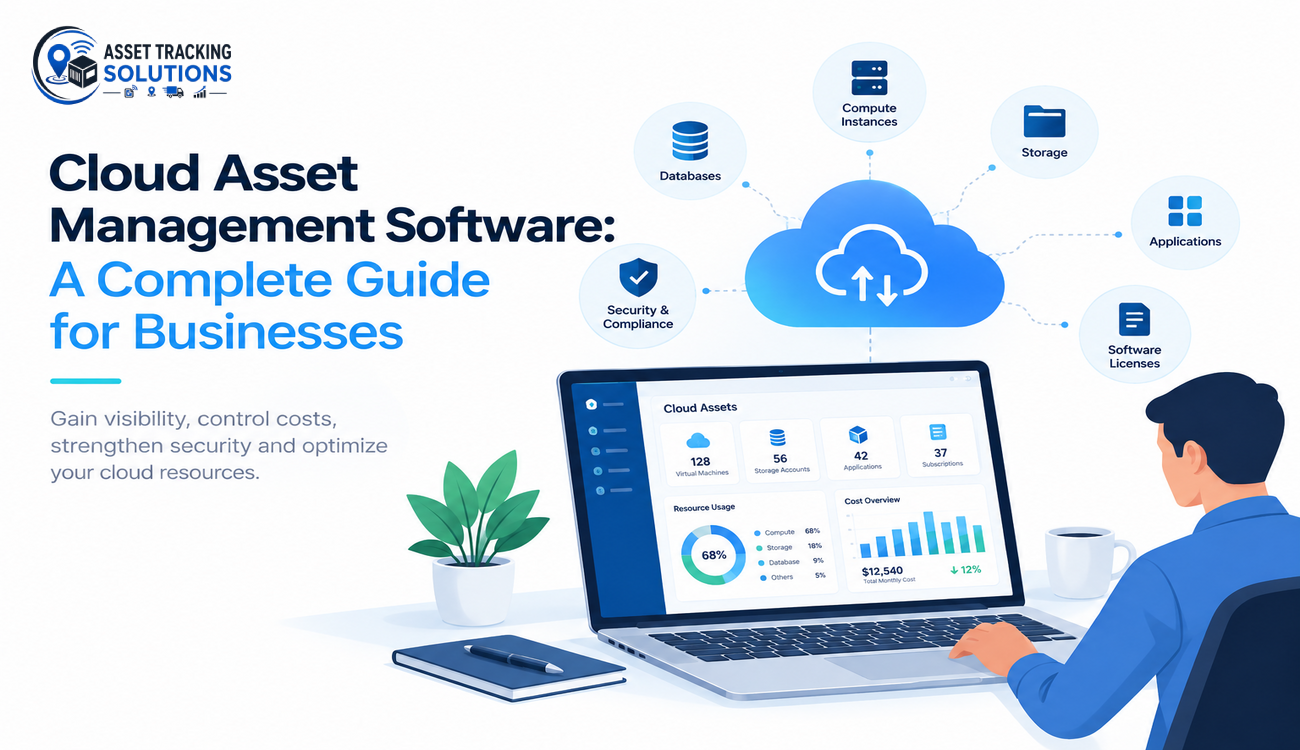
Businesses are increasingly adopting cloud technology to improve operational efficiency, simplify IT management, and support digital growth. From cloud-based applications and virtual machines to databases and storage infrastructure, organizations now depend on numerous digital assets to manage their daily operations. However, as cloud environments expand, keeping track of these resources, controlling expenses, and maintaining security can become increasingly complicated. This is where Cloud Asset Management Software helps businesses establish better control over their digital infrastructure.
Modern organizations need more than basic inventory records to manage their cloud environments effectively. They need a centralized way to monitor resources, understand usage patterns, identify unnecessary expenses, and ensure that every asset supports a clear business purpose. With the right solution, companies can improve visibility, reduce manual work, strengthen governance, and make more informed technology decisions.
This complete guide explains cloud asset management, its benefits, essential features, implementation strategies, and how businesses can choose a suitable solution for their operational needs.
What is Cloud Asset Management Software?
Cloud Asset Management Software is a digital solution that helps organizations discover, track, monitor, and manage their cloud-based resources throughout their lifecycle. These resources can include virtual machines, cloud storage, databases, software subscriptions, computing services, applications, and network infrastructure.
Unlike traditional asset management systems that primarily focus on physical equipment, cloud asset management concentrates on digital resources distributed across cloud platforms. It provides information about asset ownership, configuration, usage, cost, location, and operational status, depending on the capabilities of the selected platform.
For example, a business using multiple cloud services may operate hundreds of virtual machines, several databases, and numerous software subscriptions. Without centralized monitoring, some resources may remain unused while continuing to generate expenses. Other resources may have unclear ownership or outdated configurations that require attention.
A centralized asset management solution helps organizations identify these resources, understand their purpose, and manage them according to defined business policies. It can also integrate with existing IT management, security, finance, and monitoring systems to provide a more complete view of the organization’s cloud environment.
Why Cloud Asset Management Is Important for Modern Businesses
Cloud computing enables businesses to deploy infrastructure quickly and scale resources according to changing requirements. However, this flexibility can create management challenges when different departments create resources independently or when cloud environments become distributed across multiple providers.
Without proper oversight, organizations may experience duplicate resources, unexpected cloud bills, inconsistent configurations, and difficulties identifying who is responsible for specific assets. Managing this information manually becomes increasingly difficult as infrastructure grows.
Cloud Asset Management Software helps businesses address these challenges by maintaining a structured inventory and providing better visibility into cloud resources. IT teams can identify available assets, review their utilization, track ownership, and determine whether resources continue to meet business requirements.
This visibility also supports strategic planning. Instead of relying on assumptions, organizations can use asset information to evaluate infrastructure needs, allocate budgets, improve resource utilization, and prepare for future technology investments.
Key Features of Cloud Asset Management Software
1. Centralized Cloud Asset Discovery
Asset discovery allows organizations to identify cloud resources across connected environments and maintain an organized inventory. This can include virtual machines, storage services, databases, applications, and other supported infrastructure components.
A centralized inventory may record resource identifiers, deployment locations, configuration details, ownership information, and lifecycle status. These records help IT teams understand which assets exist and how they are being used.
Automated discovery can reduce manual recordkeeping and help organizations identify resources that have been overlooked. However, businesses should verify which cloud providers and resource types the selected solution supports before implementation.
2. Real-Time Asset Monitoring and Visibility
Cloud environments change frequently as resources are created, modified, scaled, or removed. Monitoring capabilities help organizations maintain visibility into these changes and understand the current state of their infrastructure.
Dashboards can present information about resource availability, utilization, configuration, and operational status. Depending on integrations, alerts can also notify teams about unexpected changes or resources that require investigation.
Better visibility helps organizations respond more quickly to operational issues and identify opportunities to improve infrastructure performance. Monitoring frequency and available data will depend on the platform and its integration capabilities.
3. Cloud Cost Tracking and Optimization
Cloud expenses can increase when businesses retain unused virtual machines, oversized computing resources, duplicate applications, or unnecessary software subscriptions. Understanding which assets generate costs and which teams use them is essential for controlling expenditure.
Cloud Asset Management Software can help connect resource information with ownership and utilization data, making it easier to investigate unnecessary spending. For example, a development team may discover that temporary testing environments remain active long after a project has finished.
By reviewing these resources, the organization can schedule shutdowns, resize infrastructure, or retire assets that are no longer required. Integration with dedicated cloud cost management tools can provide additional capabilities for budgeting, forecasting, and detailed financial analysis.
4. Security and Compliance Management
Cloud security depends partly on knowing which resources exist, how they are configured, and who is responsible for managing them. Unknown assets, outdated configurations, and excessive permissions can create risks that are difficult to address without reliable inventory information.
Asset management systems help organizations establish visibility and coordinate security reviews. When integrated with security monitoring and compliance platforms, they can help teams identify resources that require configuration checks, vulnerability assessments, or access reviews.
However, maintaining an asset inventory does not automatically guarantee security or compliance. Businesses should combine asset management with identity and access management, encryption, vulnerability monitoring, audit logging, and appropriate security policies.
5. Asset Lifecycle and Ownership Management
Cloud resources pass through several stages, including provisioning, configuration, active use, maintenance, scaling, and retirement. Managing these stages helps organizations avoid retaining assets that no longer provide business value.
Ownership tracking is equally important because every resource should have a responsible team or individual. Clear ownership makes it easier to coordinate maintenance, approve changes, review costs, and determine when resources can be decommissioned.
Automated lifecycle workflows can notify owners when temporary resources approach their expiration dates or when an asset requires a scheduled review. This helps businesses maintain better records and reduce unnecessary resource accumulation.
Major Benefits of Cloud Asset Management for Businesses
Improved Operational Efficiency
Centralized asset information reduces the time employees spend searching through spreadsheets, cloud consoles, and disconnected management systems. IT teams can locate resources more quickly, verify ownership, and understand the relationships between different assets.
Automation can further simplify routine activities such as inventory updates, ownership notifications, and lifecycle reviews. This allows technical teams to spend more time on strategic improvements instead of repetitive administrative tasks.
Reduced Cloud Infrastructure Costs
Better asset visibility helps organizations identify underutilized resources, duplicate services, and infrastructure that is no longer needed. Businesses can then make informed decisions about resizing, scheduling, or retiring those resources.
Cost reduction should always consider operational requirements. For example, a resource with low average utilization may still be necessary for backup operations, disaster recovery, or seasonal demand.
Stronger Security and Governance
Reliable inventory records help security teams understand the scope of the cloud environment and identify assets that need additional attention. Clear ownership and consistent configuration policies also improve accountability across departments.
When asset information is integrated with security tools, organizations can coordinate risk assessments and remediation activities more effectively.
Better Resource Planning and Decision-Making
Accurate asset records provide useful information for infrastructure planning, budgeting, and technology investment decisions. Managers can evaluate current usage, identify capacity requirements, and determine whether existing resources can support future business needs.
These insights help organizations avoid unnecessary purchases while ensuring that critical services have sufficient capacity.
How to Choose the Right Cloud Asset Management Solution
Selecting an appropriate solution begins with understanding the organization’s existing cloud infrastructure and operational challenges. Businesses should identify which providers, applications, resource categories, and departments need to be included in the asset management process.
Compatibility is an important consideration because the platform should support the organization’s current environment and provide a practical path for future expansion. Companies operating across multiple cloud providers should evaluate whether the solution can consolidate asset information from those environments.
Integration capabilities also deserve careful attention. Connecting asset management with IT service management, finance, security, and monitoring tools can reduce manual work and improve data consistency.
Organizations should review reporting dashboards, automation options, access controls, audit capabilities, and ease of use. Pricing should be assessed against the total cost of ownership, including implementation, maintenance, training, and additional integration expenses.
Cloud Asset Management Software should align with business processes and operational goals rather than introduce unnecessary complexity. A solution that is easy to maintain and consistently used will generally provide more practical value than a platform with advanced features that the organization cannot effectively adopt.
Common Challenges in Cloud Asset Management
One of the most common challenges is incomplete asset visibility. Businesses may operate resources across multiple cloud providers, regions, and departments, making it difficult to maintain a complete inventory. Connecting supported environments and establishing consistent discovery procedures can help address this problem.
Inconsistent resource tagging can also reduce the accuracy of asset reporting. When resources lack clear ownership, project identifiers, or cost center information, teams may struggle to determine their purpose and allocate expenses correctly. Standardized naming and tagging policies can improve data quality.
Another challenge is keeping asset information up to date. Cloud infrastructure changes continuously, so outdated records can create confusion during cost reviews, security assessments, and operational planning. Organizations should establish appropriate synchronization schedules and regularly review inventory completeness.
Employee adoption can present additional difficulties when new procedures require extensive manual effort. Automated discovery, clear responsibilities, and practical training can make asset management easier to maintain across departments.
Best Practices for Implementing Cloud Asset Management
Establish a Reliable Asset Inventory
Businesses should begin by identifying the cloud platforms and resource categories that need to be monitored. They should define the information required for each asset, including ownership, environment, status, cost center, and lifecycle details.
Standardize Naming and Tagging Policies
Consistent naming conventions and tagging rules make it easier to organize resources, identify responsible teams, and allocate expenses. Organizations should document these standards and use automated checks wherever practical.
Automate Repetitive Management Tasks
Automation can simplify asset discovery, inventory synchronization, ownership notifications, and lifecycle reviews. Businesses should begin with clearly defined workflows and expand automation as their processes become more reliable.
Review Asset Performance Regularly
Organizations should periodically examine inventory completeness, resource utilization, cloud spending, ownership records, and security-related findings. These reviews help identify inefficiencies and ensure that asset management practices remain aligned with changing business requirements.
The Future of Cloud Asset Management
Cloud environments are becoming more complex as businesses adopt hybrid infrastructure, multi-cloud strategies, artificial intelligence services, and connected enterprise applications. This expansion increases the need for reliable inventory management and stronger operational governance.
Artificial intelligence and advanced analytics can help organizations identify unusual usage patterns, forecast capacity requirements, and discover potential optimization opportunities. Automated workflows can also support faster responses to resource changes and policy violations.
At the same time, businesses must maintain appropriate human oversight, data quality, and security controls. Automation is most effective when it operates within clearly defined rules and when teams understand the decisions being made.
As cloud adoption continues to expand, organizations that combine suitable management tools with consistent processes will be better positioned to maintain visibility, control costs, and support digital growth.
Conclusion
Managing cloud resources effectively is essential for organizations that depend on digital infrastructure to deliver business services. Without reliable visibility, companies may face unnecessary expenses, inconsistent configurations, unclear ownership, and difficulties planning future technology investments.
Cloud Asset Management Software provides a structured way to discover, track, monitor, and optimize cloud assets throughout their lifecycle. By combining centralized inventory, cost visibility, security coordination, and automated workflows, businesses can improve operational efficiency and make more informed decisions.
The key to successful implementation is selecting a solution that fits existing infrastructure, maintaining accurate asset records, assigning clear responsibilities, and reviewing performance regularly. With the right strategy, cloud asset management can become an important foundation for cost control, stronger governance, and sustainable business growth.
Frequently Asked Questions
Q1. What is Cloud Asset Management Software?
Cloud Asset Management Software is a digital solution that helps businesses track, monitor, and manage cloud-based resources such as virtual machines, storage, applications, databases, and software subscriptions. It provides centralized visibility into asset ownership, usage, costs, and lifecycle status.
Q2. What are the main benefits of cloud asset management for businesses?
Cloud asset management helps businesses improve resource visibility, reduce unnecessary cloud spending, simplify IT operations, strengthen security oversight, and improve resource planning. It also enables teams to identify underutilized assets and make better technology investment decisions.
Q3. What features should businesses look for in Cloud Asset Management Software?
Businesses should look for automated asset discovery, centralized inventory, resource monitoring, cost tracking, lifecycle management, ownership tracking, reporting dashboards, and integration capabilities. Security controls and scalability are also important when selecting a suitable solution.
Q4. How does cloud asset management help reduce IT costs?
Cloud asset management helps identify unused resources, duplicate services, oversized infrastructure, and unnecessary subscriptions. By reviewing utilization data and resource ownership, businesses can optimize infrastructure, eliminate waste, and allocate cloud budgets more effectively.
Q5. Is Cloud Asset Management Software suitable for small businesses?
Yes, Cloud Asset Management Software can benefit small businesses by providing better control over cloud resources, improving cost visibility, and reducing manual tracking. Small organizations can start with essential asset discovery and monitoring features and expand their capabilities as their cloud infrastructure grows.